Trading MSFT's Hourly Chart Like A Scalp Is How A Genuine Multi-Day Move Gets Missed
When you see the ten setups built around how MSFT's ranges actually form on the hourly chart, you will stop treating a swing timeframe like a scalp and start holding for the slower, index-driven moves MSFT's own size actually produces.
You will know, before you are in the trade, how many full sessions a level needs to hold before it is worth trading, and which setups from the faster MSFT pack in this shop simply do not translate once a single candle covers an hour instead of five minutes.
Most hourly losses in MSFT come from confirming a level the way you would on a 5-minute chart.
You will get a multi-day consolidation block, full-session confirmed range tests, an anchored VWAP swing, monthly options expiration pinning, an overnight rate-decision gap fade, and a multi-week Azure guidance compression built for a slower tape.
You will see all ten setups in full, entry to exit, before you pay for a single one of them, one dollar unlocked at a time.
An hourly chart is not a slower version of a 5-minute chart.
It confirms differently, and it holds differently.
Introducing The MSFT Hourly Range Setups Pack
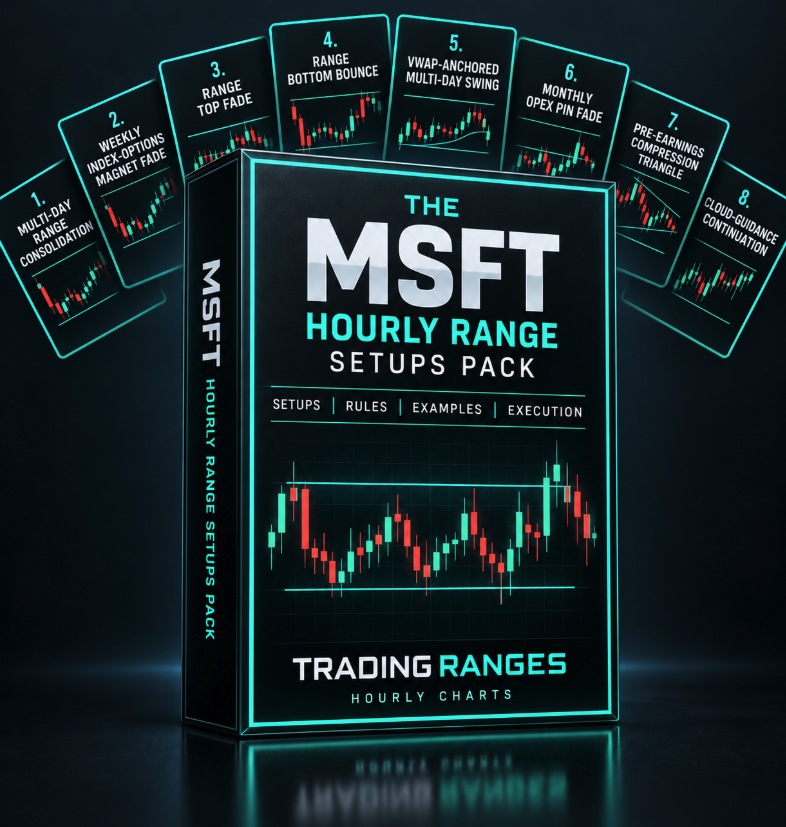
A Trading Ranges Setup Pack
The MSFT Hourly Range Setups Pack
Ten ways to trade MSFT's ranges on the hourly chart, built around its own tighter volatility and slower, index-driven multi-day structure.
- Setups10, each priced individually at $1
- FormatInteractive preview on this page, plus a printable PDF cheat sheet after checkout
- AccessInstant, right after checkout, yours to keep
- Built forMSFT specifically, hourly chart, its own multi-day swing-range structure
- AuthorTradingRanges.com
$1 per setup, 10 setups, $10 total. Every setup is priced and shown to you before you pay for any of it.
Try It First
Preview Every Setup In This Pack
Click through all 10 setups below. Each card is the entry trigger, the confirmation, and the invalidation point, the same detail you get after checkout. The bar fills as you go, one dollar unlocked per setup.
What's Inside
All 10 Setups
- 01Multi-Day Range Consolidation Block. Once MSFT holds inside the same wide band across three or more full sessions, treat that band as the tradeable range instead of trading each day's noise separately.Hourly chart, 3+ trading sessions
- 02Weekly Mega-Cap Index-Options Magnet Fade. Fade a move away from a round dollar level carrying unusually heavy weekly options open interest, a pull made stronger in MSFT than in a smaller-weight stock because so much index-tracking options flow routes through it.Hourly chart, near a round strike carrying heavy weekly index-linked options open interest
- 03Range Top Fade (Full-Session Confirmation). Short at the top of a level MSFT has already rejected on two full hourly closes, the confirmation this timeframe needs instead of a single candle's wick.Hourly chart
- 04Range Bottom Bounce (Full-Session Confirmation). Buy at the bottom of a level MSFT has already held on two full hourly closes, the mirror of the range top fade above.Hourly chart
- 05VWAP-Anchored Multi-Day Swing. Buy a pullback toward a VWAP anchored to the start of the current multi-day range, and hold the swing toward the far side of the range instead of taking a quick scalp.Hourly chart, anchored VWAP from the range's own starting session
- 06Monthly OPEX Pin Fade. In monthly expiration week, fade moves away from the strike carrying the heaviest open interest for that cycle, the strongest version of MSFT's own options-driven pinning.Hourly chart, the week of monthly options expiration
- 07Multi-Day Failed Breakout Reversal. Once a breakout attempt out of a multi-day range fails to hold for a full session, trade back toward the opposite side of the range instead of trusting the failed move.Hourly chart
- 08Overnight Rate-Decision Gap Fade. Once an overnight Treasury-yield move gaps MSFT at the open and the first hourly candle fails to extend it, fade back toward the prior session's range instead of chasing a move already priced in.Hourly chart, the open following an overnight move in Treasury yields
- 09Pre-Earnings Multi-Week Azure Compression Triangle. Trade the shrinking multi-day swings inside MSFT's range across the weeks before earnings, tracking how the market prices the coming Azure growth number well ahead of the report itself.Hourly chart, the two to three weeks before MSFT reports
- 10Cloud-Guidance Multi-Session Continuation. After an Azure guidance beat gaps MSFT higher, hold the continuation across the following sessions instead of treating the opening gap as the whole move.Hourly chart, the sessions following an Azure guidance beat or miss
RANGES
★
Certificate of Guarantee
60-Day, No-Questions-Asked
If The MSFT Hourly Range Setups Pack doesn't earn its place in your process, email us any time within 60 days of purchase for a full refund. No form to fill out. No reason required.

Backed personally by Jason Parker, founder of Trading Ranges. He built every setup in this pack himself, covered by the same guarantee above.
Instant Access
$10One-time payment. No subscription.
10 setups × $1 each = $10
Get Instant Access10 SETUPS · INTERACTIVE PREVIEW + PDF CHEAT SHEET · DELIVERED IMMEDIATELY AFTER CHECKOUT · 60-DAY GUARANTEE
A Few Notes On Trading MSFT's Hourly Ranges
Every setup in this pack assumes you are holding across more than one trading session, not exiting before the closing bell. MSFT's own tighter realized volatility already makes its 5-minute chart calmer than a name like TSLA or NVDA, and that same calm shows up on the hourly chart as ranges that take longer to resolve and need a full session's close to confirm, not a single candle's wick.
The habit that separates a trader who makes money on MSFT's hourly ranges from one who gets run over by them: waiting for a full session's close to confirm a level, then holding toward the far side of the multi-day range instead of taking an immediate bounce. MSFT's size means its ranges tend to resolve slowly, through several sessions of index and options flow, not a single sharp move.
None of this is built for the earnings report itself or a scheduled Fed decision. On those sessions MSFT's range tends to break on the news and keep going. The compression setups above are built for the weeks before those events, not the events themselves.
Common Questions
Why is this priced at $1 per setup?
Every setup in The MSFT Hourly Range Setups Pack is priced individually and added up. This pack has 10 setups, so it is $10 total, no more and no less. The interactive preview above shows every setup before you pay, so nothing is padded in to round out a bundle.
How is this different from the 5-minute MSFT pack?
This pack's setups are built for the hourly chart's own multi-day confirmation and holding requirements, not the faster pack's setups relabeled. A level needs a full session's close here instead of a single candle, ranges are measured across multiple trading days instead of one session, and several setups hold toward a target on the far side of a multi-day range instead of scalping an intraday bounce. If you already own the 5-minute pack, this is a genuinely different set of triggers for a swing-holding timeframe, not a duplicate.
What timeframe is this pack for?
Every setup in this pack is built for the hourly chart specifically, held across multiple trading sessions rather than closed out the same day.
What do I actually get after I pay?
Instant access to a printable PDF cheat sheet with the entry trigger, confirmation, and invalidation point for all 10 setups in this pack, the same detail shown in the preview deck above, formatted for a second screen or the desk next to your monitor.
Is there a guarantee?
Yes. The same 60-day, no-questions-asked guarantee as everything else in the shop. Email any time within 60 days of purchase for a full refund.